> ## Documentation Index
> Fetch the complete documentation index at: https://help.contentgrove.io/llms.txt
> Use this file to discover all available pages before exploring further.
# Create dynamic links for every video
> Create contentgrove dynamic links that reuse one variable across many videos, with each video automatically getting its own unique tracking link.
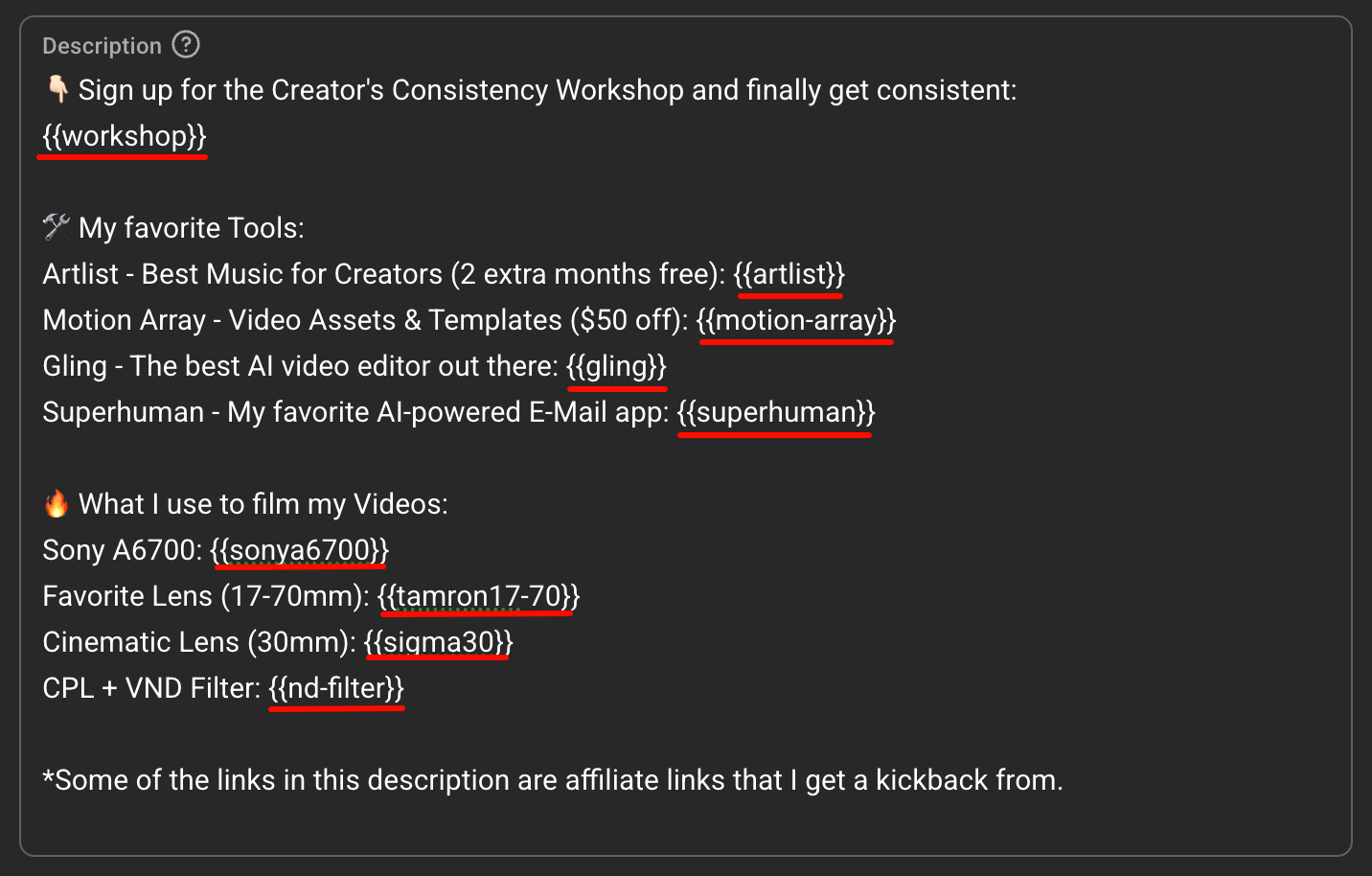
Dynamic links let you put the same placeholder in many video descriptions and have each video get its own unique tracking link. A **dynamic link** is a reusable rule you set up once — a variable plus a destination. Add its variable to your descriptions, then run **Process Variables**, and contentgrove replaces it in each video with that video's own unique tracking link.
## How they work
Define a variable name like `{{workshop-link}}` and a destination URL.
Put `{{workshop-link}}` anywhere in your video descriptions.
On the **Dynamic links** tab, click **Process Variables**. Each video's variable is replaced with its own unique tracking link.
## Create a dynamic link
On the **Dynamic links** tab, click **Create Dynamic Link**.
Set:
* **Name** — a descriptive label, such as "Free workshop".
* **Destination URL** — where the link sends traffic.
* **Variable name** — wrapped in double curly braces, such as `{{workshop-link}}`. Use hyphens or underscores instead of spaces.
* **Link type** — Offer (select an offer for conversion tracking) or Affiliate.
* **Domain** — which domain the generated short links use.
Click **Create Dynamic Link**.
Variable names are case-insensitive, so `{{Workshop-Link}}` matches `{{workshop-link}}`. Each variable name must be unique across your dynamic links.
## Manage dynamic links
Each dynamic link appears as a card showing the name, variable, destination, type, how many videos use it, and the created date. You can:
* **Edit** a dynamic link to change its name, variable, destination, type, offer, or domain.
* **Copy** the variable to paste into your descriptions.
* **Delete** a dynamic link you no longer need.
Deleting a dynamic link doesn't remove tracking links already generated from it, but you won't be able to process its variable again. If you rename a variable, update any descriptions that still use the old name.
## When to use it
Dynamic links are best when you have one link you use again and again across many videos — your free workshop, your main course or product page, your newsletter, or an affiliate link. Instead of creating a tracking link and pasting it into each video description by hand, you add a single variable, and contentgrove generates a unique tracking link for every video automatically — including new videos you publish later.
## If variables aren't replacing
Check that the variable spelling and `{{ }}` formatting match the dynamic link's variable name, that you've run **Process Variables** on the Dynamic links tab, and that the dynamic link still exists. After processing, use **Verify links in descriptions** in Create links to confirm the replacements.